Before booking on the HR Surgeries, we advise raising a case on the Employee helpdesk and provide as much detail about your case and the type of help required.
Once the case has been raised, one of the P&O coordinators should be in touch with next steps - they might provide guidance via email or ask you to book onto an HR Surgery.
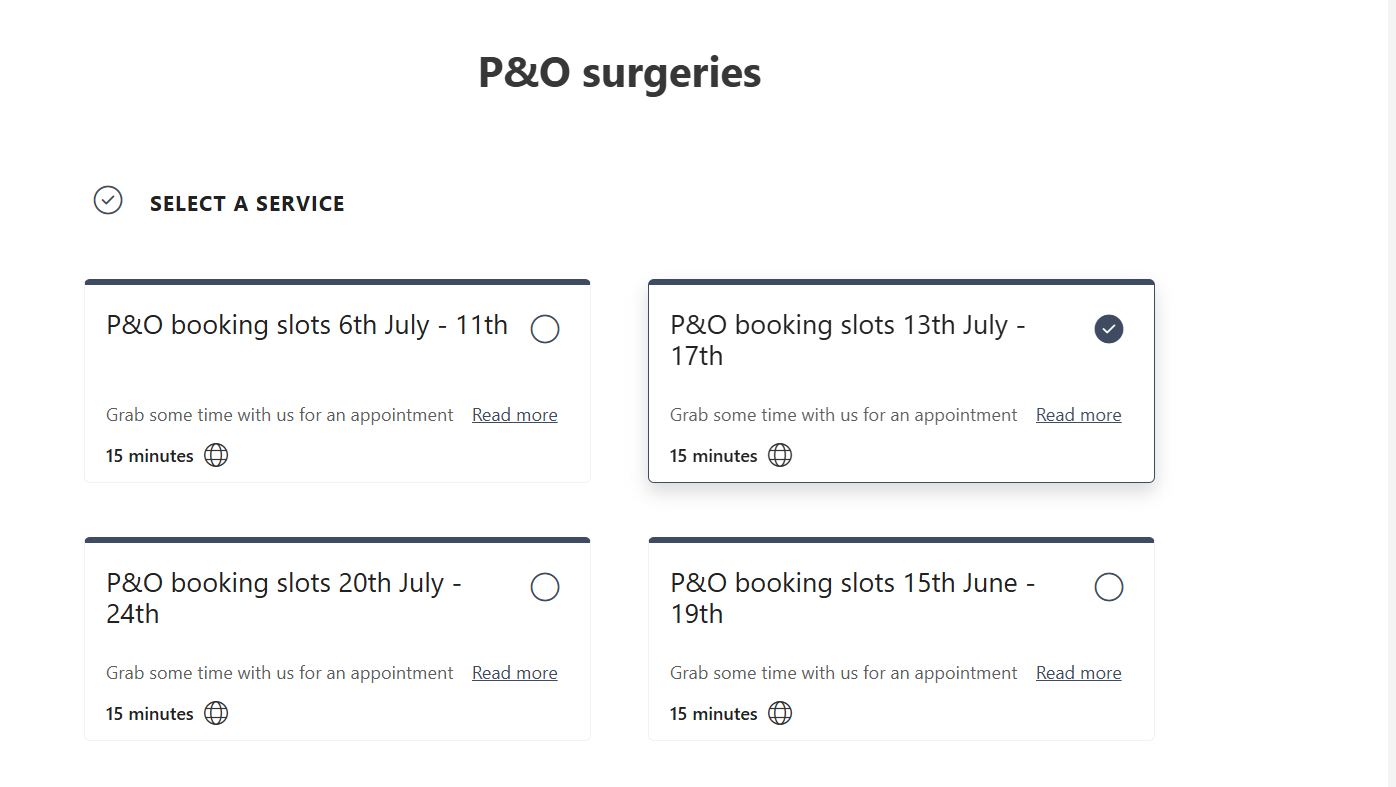
To book, please click on the Hyperlink on the attached poster. You will be asked to select a service as below:
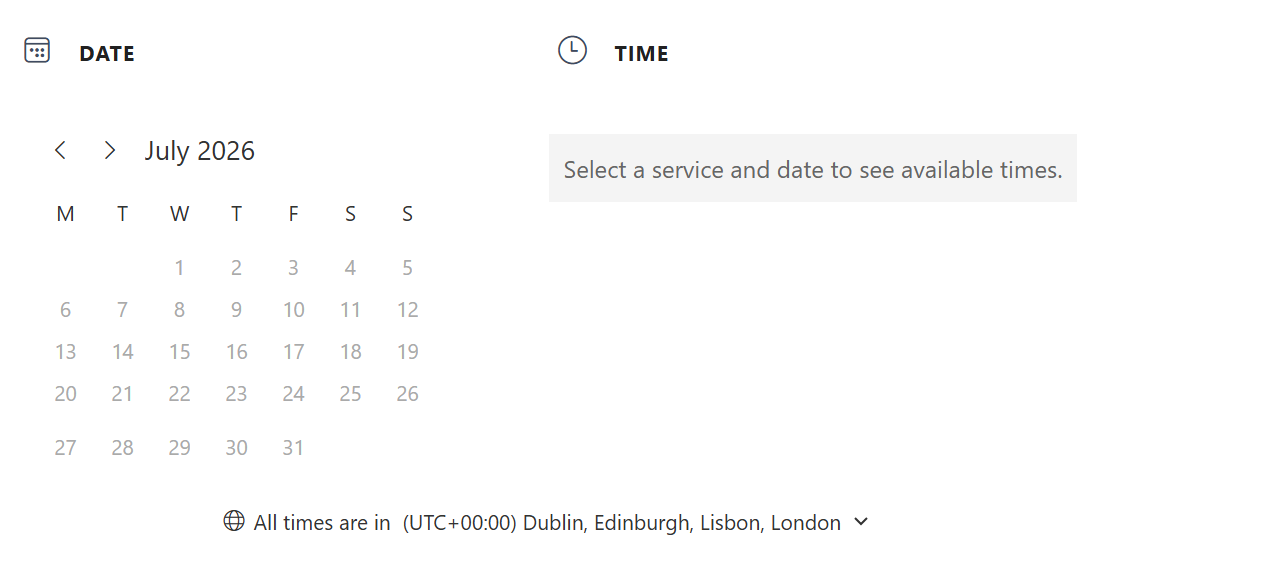
Then you will be asked to select a date and time you wish to book as below:
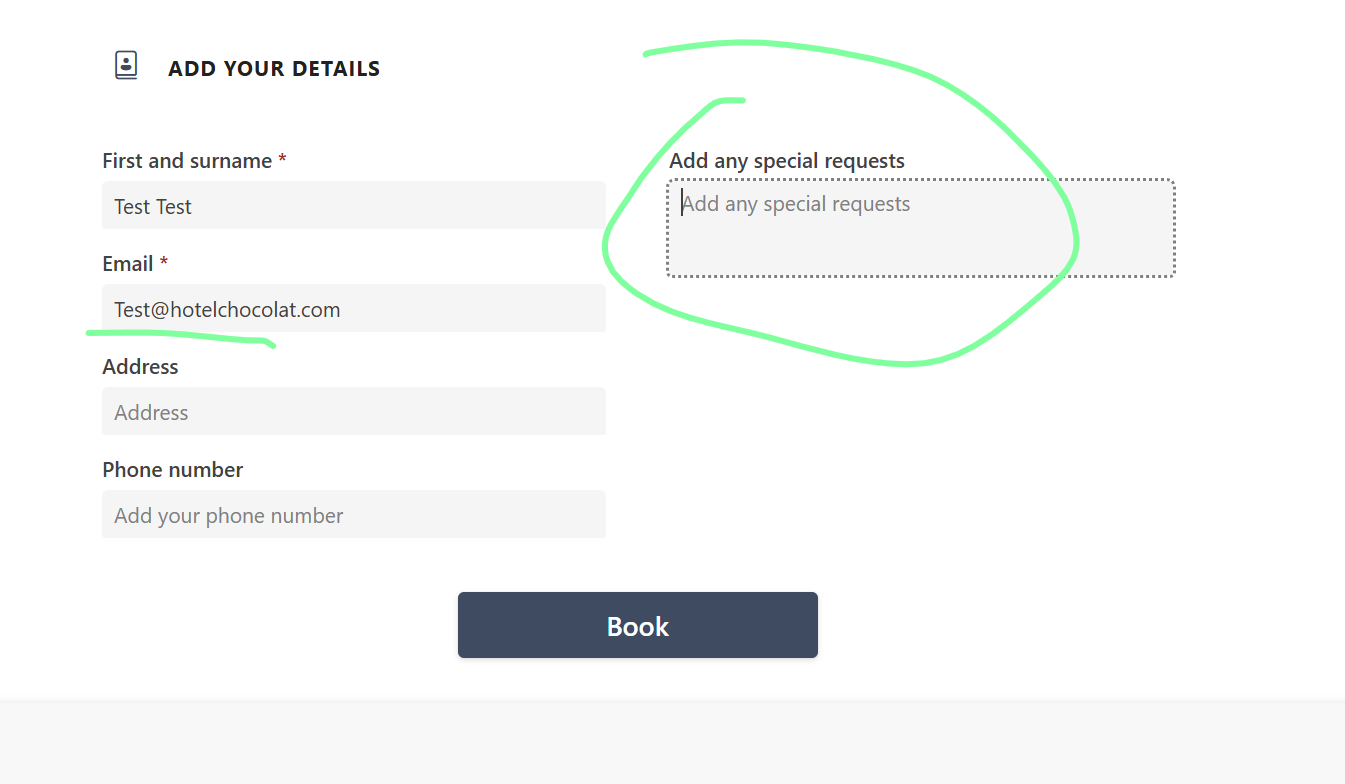
Next step is to scroll down to add your details and add additional information.
Here we will need to to specify the Case Number you already raised on the employee helpdesk and any additional information you think is necessary in advance so we can come prepared to the meeting and make sure the right person is on the call. Failure to do so may result in your booking to be cancelled for awaiting details.
If you don't add your email address you will not get the meeting invite.
Many thanks,
Was this article helpful?
That’s Great!
Thank you for your feedback
Sorry! We couldn't be helpful
Thank you for your feedback
Feedback sent
We appreciate your effort and will try to fix the article